Version 0.0.13
发布日期:2025年10月04日 | Release Date: October 4, 2025
🚀 主要新功能 | Major New Features
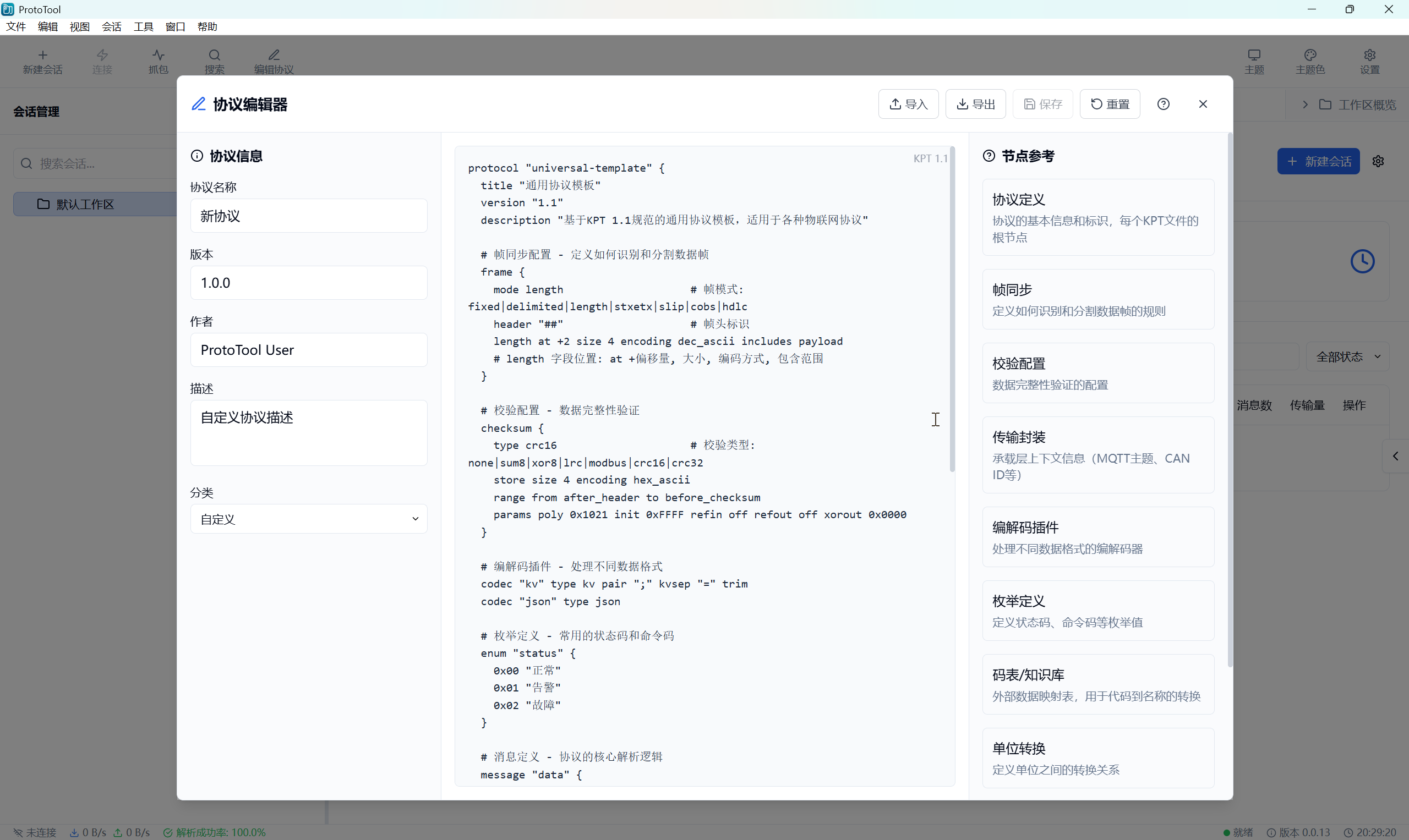
📝 协议编辑器与仓库系统 | Protocol Editor & Repository System
- 协议编辑器功能: 新增完整的协议编辑器,支持 KPT 1.1 规范
- Protocol Editor Feature: Added complete protocol editor with KPT 1.1 specification support
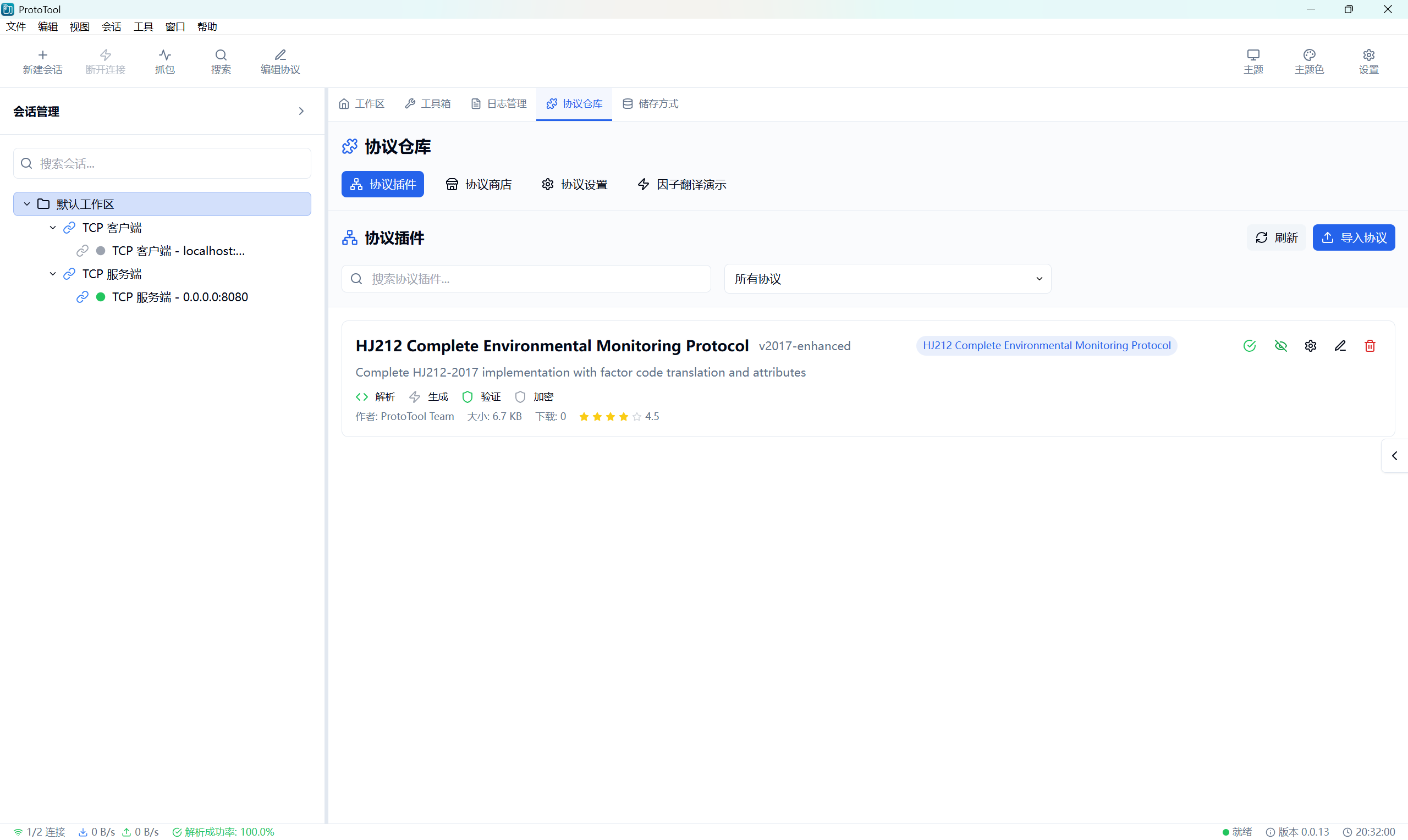
- 协议仓库管理: 实现协议导入、导出、列举和删除功能
- Protocol Repository Management: Implemented protocol import, export, list, and delete functionality
- KPT 1.1 规范支持: 升级 HJ212 协议以支持 KPT 1.1 规范
- KPT 1.1 Specification Support: Upgraded HJ212 protocol to support KPT 1.1 specification
- 协议内容加载与编辑: 支持协议内容的实时加载和编辑
- Protocol Content Loading & Editing: Support real-time loading and editing of protocol content
🔄 文件导出功能优化 | File Export Functionality Optimization
- 原生文件对话框: 使用 Tauri 后端实现原生文件保存对话框
- Native File Dialog: Implemented native file save dialog using Tauri backend
- 跨平台兼容: 支持 Windows、macOS 和 Linux 的文件导出
- Cross-Platform Compatibility: Support file export on Windows, macOS, and Linux
- 文件格式过滤: 支持 .kpt 和 .txt 文件格式过滤
- File Format Filtering: Support .kpt and .txt file format filtering
- 错误处理优化: 改进导出错误提示和用户反馈
- Error Handling Optimization: Improved export error messages and user feedback
🔍 因子代码翻译功能 | Factor Code Translation Feature
- 因子代码解析: 实现环境监测因子代码的解析和翻译
- Factor Code Parsing: Implemented parsing and translation of environmental monitoring factor codes
- HJ212 消息解析: 集成 HJ212 消息解析与因子翻译
- HJ212 Message Parsing: Integrated HJ212 message parsing with factor translation
- 因子定义管理: 支持因子代码定义的管理和查询
- Factor Definition Management: Support management and query of factor code definitions
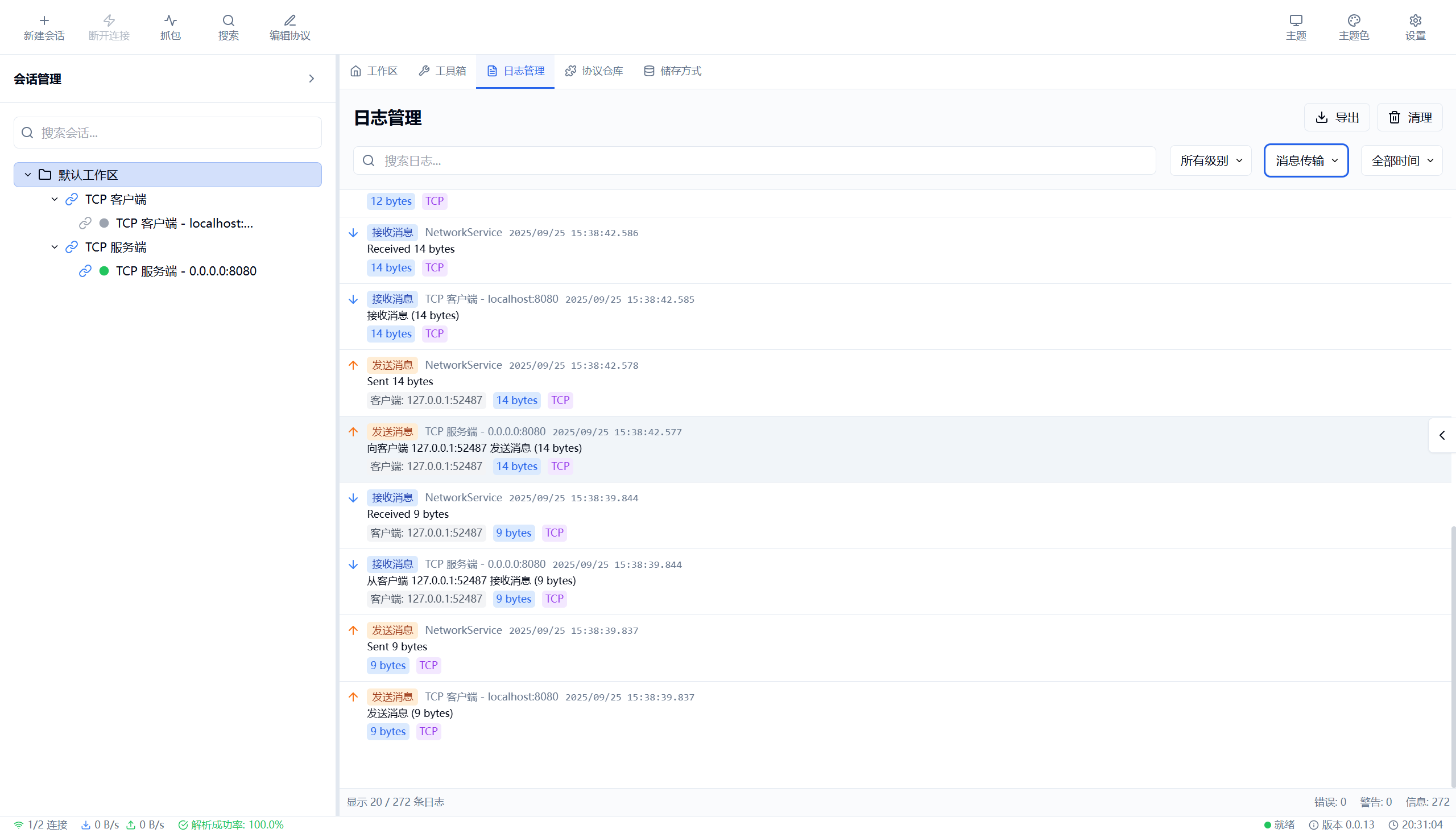
📊 日志系统增强 | Logging System Enhancement
- 后端日志管理: 实现完整的后端日志管理系统
- Backend Log Management: Implemented complete backend log management system
- 日志分类过滤: 支持按类别、级别、会话等多维度过滤
- Log Category Filtering: Support filtering by category, level, session, and more
- 日志导出功能: 支持 JSON、CSV 和 Markdown 格式导出
- Log Export Feature: Support export in JSON, CSV, and Markdown formats
- 日志详情展示: 显示客户端 ID、协议、数据大小等详细信息
- Log Details Display: Show client ID, protocol, data size, and other details
🗄️ 存储方式管理 | Storage Management
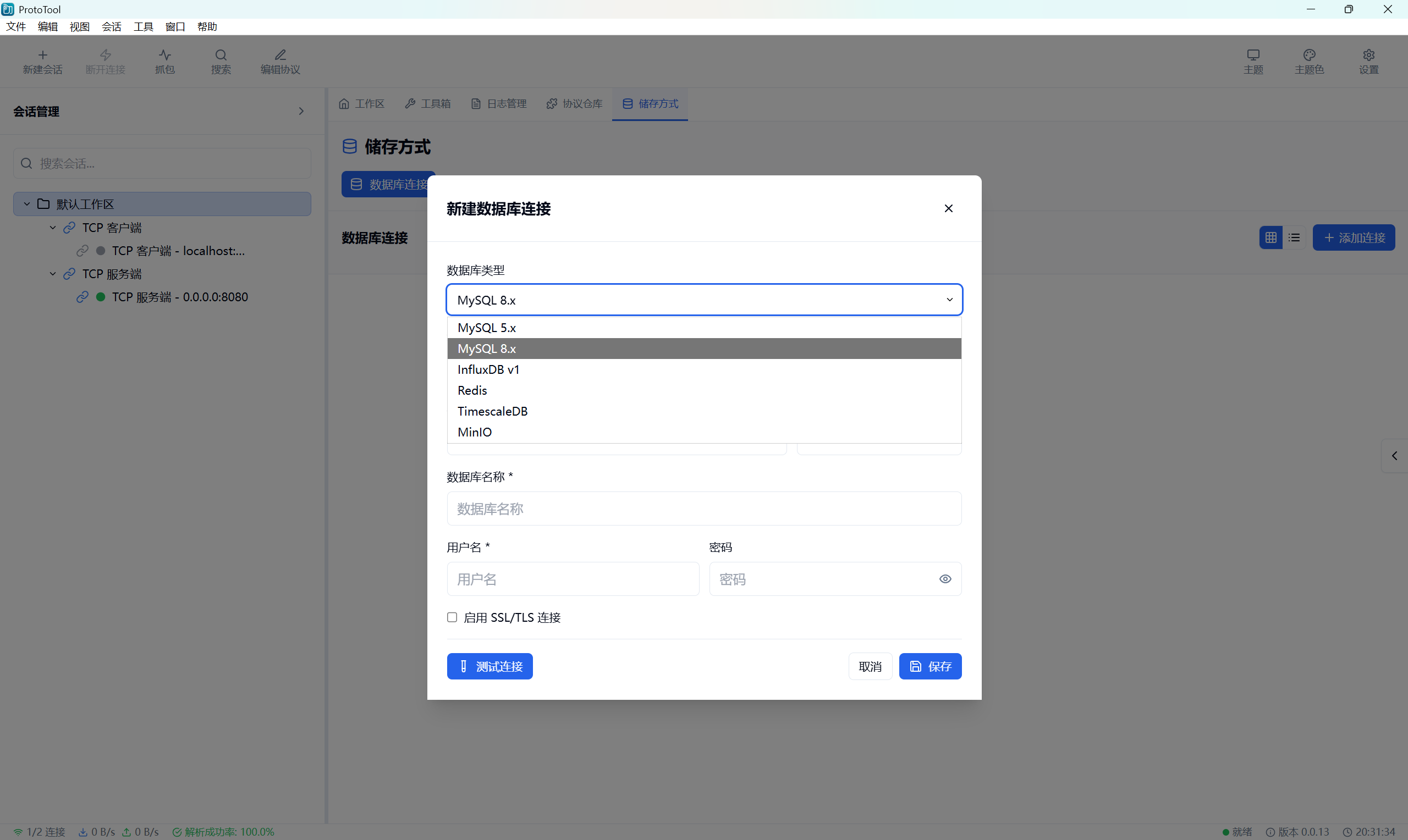
- 数据库连接管理: 支持 MySQL、Redis、InfluxDB 等多种数据库
- Database Connection Management: Support MySQL, Redis, InfluxDB, and more
- 存储规则配置: 实现存储规则的增删改查功能
- Storage Rule Configuration: Implemented CRUD operations for storage rules
- 连接测试功能: 支持数据库连接测试和错误诊断
- Connection Test Feature: Support database connection testing and error diagnosis
- 存储监控: 实现存储监控页面和真实数据加载
- Storage Monitoring: Implemented storage monitoring page with real data loading
🎨 用户界面改进 | UI/UX Improvements
🖼️ 协议编辑器界面 | Protocol Editor Interface
- 统一消息弹窗: 实现统一的消息提示和确认对话框
- Unified Message Modal: Implemented unified message prompts and confirmation dialogs
- 导入导出优化: 优化协议导入导出的用户体验
- Import/Export Optimization: Optimized user experience for protocol import/export
- 预览显示: 添加协议内容预览功能
- Preview Display: Added protocol content preview feature
- 中文按钮: 所有按钮使用中文显示,提升本地化体验
- Chinese Buttons: All buttons display in Chinese for better localization
📋 协议仓库界面 | Protocol Repository Interface
- 协议列表管理: 优化协议列表的显示和操作
- Protocol List Management: Optimized protocol list display and operations
- 协议配置对话框: 添加协议配置对话框功能
- Protocol Configuration Dialog: Added protocol configuration dialog feature
- 按钮组件增强: 引入按钮组件以增强协议插件管理器
- Button Component Enhancement: Introduced button components to enhance protocol plugin manager
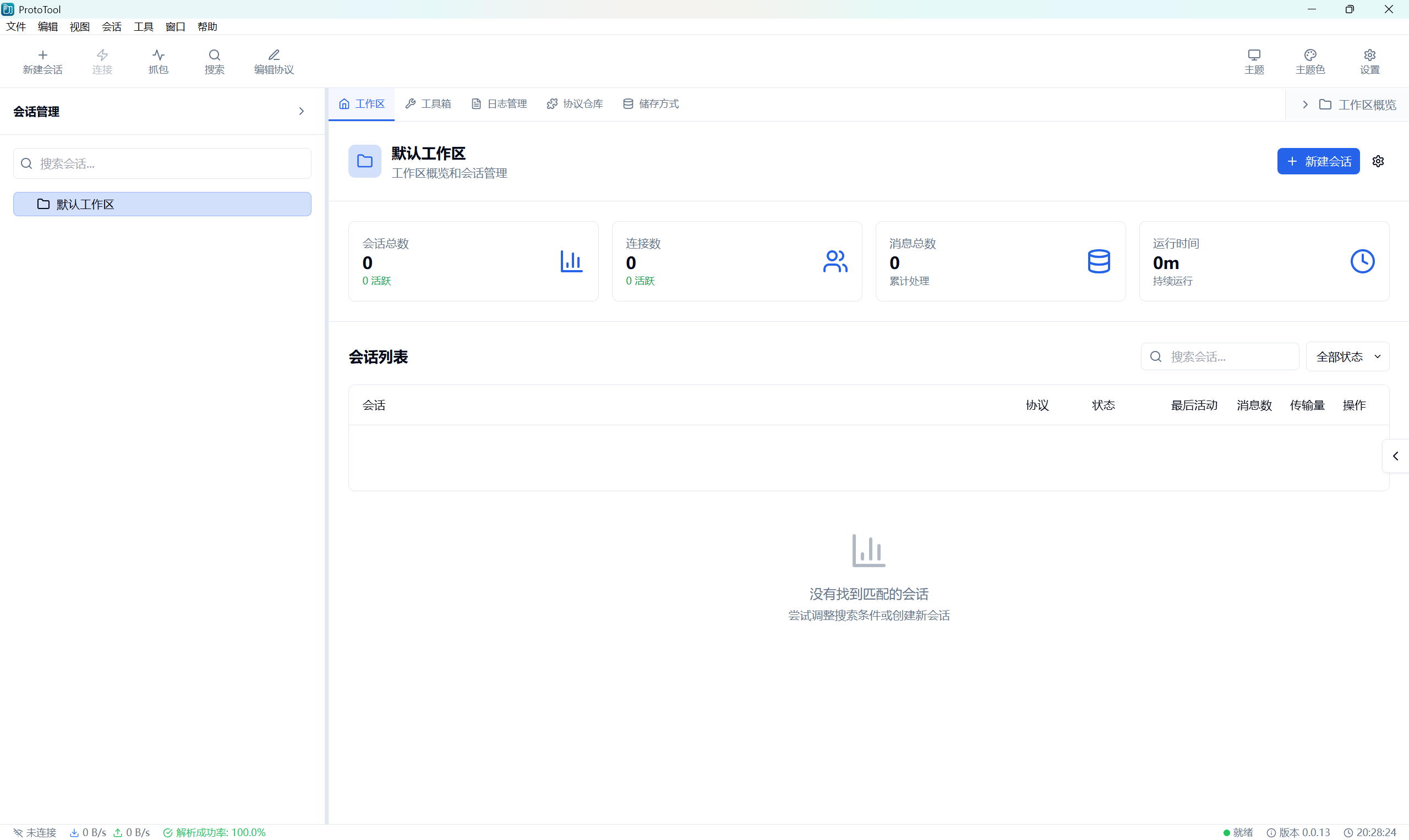
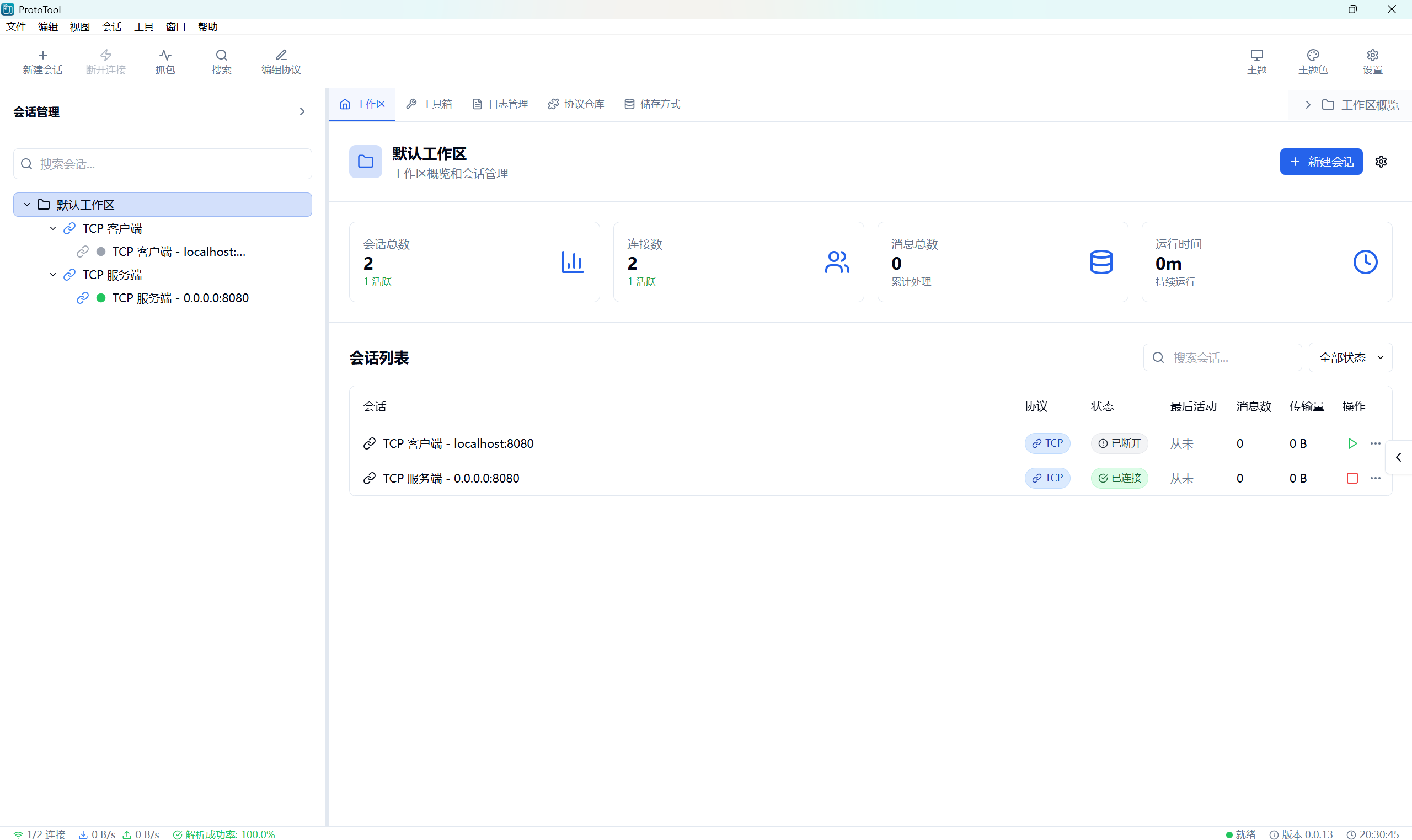
🎯 工作区界面优化 | Workspace Interface Optimization
- 协议类型标签: 添加协议类型标签并优化会话表格显示
- Protocol Type Tags: Added protocol type tags and optimized session table display
- 协议图标更新: 更新协议图标和表格列宽保护
- Protocol Icon Update: Updated protocol icons and table column width protection
- 会话过滤: 支持通过 URL 参数查看特定会话日志
- Session Filtering: Support viewing specific session logs via URL parameters
🔧 技术改进 | Technical Improvements
🏗️ 架构优化 | Architecture Optimization
- Tauri API 重构: 重构 Tauri API 调用逻辑以支持 v2 版本
- Tauri API Refactoring: Refactored Tauri API call logic to support v2
- 全局缓存重构: 使用 OnceLock 替代静态可变全局变量
- Global Cache Refactoring: Used OnceLock to replace static mutable global variables
- 解析器注册表: 扩展协议解析器注册表以支持协议仓库操作
- Parser Registry: Extended protocol parser registry to support repository operations
🛡️ 错误处理和恢复 | Error Handling & Recovery
- 文件保存错误处理: 实现文件保存失败时的优雅错误处理
- File Save Error Handling: Implemented graceful error handling for file save failures
- 导出错误提示: 改进导出错误提示,显示具体错误内容
- Export Error Messages: Improved export error messages to show specific error details
- 连接错误诊断: 增强数据库连接错误的诊断和提示
- Connection Error Diagnosis: Enhanced database connection error diagnosis and prompts
📦 依赖管理 | Dependency Management
- rfd 文件对话框: 添加 rfd crate 用于原生文件对话框
- rfd File Dialog: Added rfd crate for native file dialogs
- Tauri 命令扩展: 新增多个 Tauri 命令用于协议管理和文件操作
- Tauri Command Extension: Added multiple Tauri commands for protocol management and file operations
🐛 Bug 修复 | Bug Fixes
🔌 协议编辑器修复 | Protocol Editor Fixes
- 导出功能修复: 修复协议编辑器和协议仓库的导出功能
- Export Function Fix: Fixed export functionality in protocol editor and repository
- 环境检测移除: 移除冗余的 Tauri 环境检测逻辑
- Environment Detection Removal: Removed redundant Tauri environment detection logic
- 模块导入修复: 统一动态导入模块方式以避免 Vite 静态分析问题
- Module Import Fix: Unified dynamic module import to avoid Vite static analysis issues
🌐 网络功能修复 | Network Function Fixes
- UDP 消息流优化: 优化 UDP 客户端消息流显示和过滤逻辑
- UDP Message Flow Optimization: Optimized UDP client message flow display and filtering logic
- TCP 连接处理: 优化 TCP 客户端断开连接处理逻辑
- TCP Connection Handling: Optimized TCP client disconnect handling logic
- 客户端连接事件: 优化客户端连接事件处理与同步方法
- Client Connection Events: Optimized client connection event handling and sync methods
🗂️ 存储功能修复 | Storage Function Fixes
- 数据库连接测试: 增强数据库连接测试功能和错误消息
- Database Connection Test: Enhanced database connection test feature and error messages
- 存储规则验证: 实现存储规则表单验证和错误提示
- Storage Rule Validation: Implemented storage rule form validation and error prompts
📦 平台支持 | Platform Support
- Windows: MSI 安装包、NSIS 安装包和便携版
- 支持 x86 (32位) 和 x64 (64位) 架构
- macOS: DMG 安装包
- Intel x64 和 Apple Silicon (ARM64) 分别打包
- Linux: AppImage、DEB 和 RPM 包
📝 安装说明 | Installation Notes
- 从下方的发布资源中下载适合您系统的安装包
- Download the appropriate package for your platform from the release assets
- Windows 用户推荐使用 MSI 安装包,也可选择便携版
- Windows users can choose between MSI installer (recommended) or portable versions
- macOS 用户请根据处理器架构选择对应的安装包
- macOS users should download the package matching their processor architecture
- Linux 用户可根据发行版选择 DEB、RPM 或通用的 AppImage 格式
- Linux users can install the appropriate package for their system architecture
🔗 链接 | Links
📊 版本统计 | Version Statistics
- 新增功能: 15+ 个主要功能模块 | New Features: 15+ major feature modules
- 修复问题: 10+ 个关键 Bug 修复 | Bug Fixes: 10+ critical bug fixes
- 代码提交: 50+ 次提交 | Commits: 50+ commits
- 文件修改: 100+ 个文件更新 | Files Modified: 100+ files updated
- 代码改进: 5000+ 行新增和优化代码 | Code Improvements: 5000+ lines of new and optimized code
🎯 重点改进 | Key Improvements
- 协议管理系统: 完整的协议编辑、导入、导出和管理功能
- Protocol Management System: Complete protocol editing, import, export, and management
- 文件操作优化: 使用原生文件对话框,提升用户体验
- File Operation Optimization: Native file dialogs for better user experience
- 日志系统完善: 全面的日志记录、过滤和导出功能
- Logging System Enhancement: Comprehensive logging, filtering, and export features
- 存储管理: 多数据库支持和存储规则配置
- Storage Management: Multi-database support and storage rule configuration
- 因子翻译: 环境监测因子代码的智能解析和翻译
- Factor Translation: Intelligent parsing and translation of environmental monitoring factor codes
此版本专注于协议管理和文件操作的全面提升,通过完整的协议编辑器、原生文件对话框和增强的日志系统,为用户提供更强大和便捷的协议调试体验。这是一个重要的功能增强版本。
This release focuses on comprehensive improvements to protocol management and file operations. Through a complete protocol editor, native file dialogs, and enhanced logging system, it provides users with a more powerful and convenient protocol debugging experience. This is an important feature enhancement release.
 ProtoTool · 协议调试实验室